
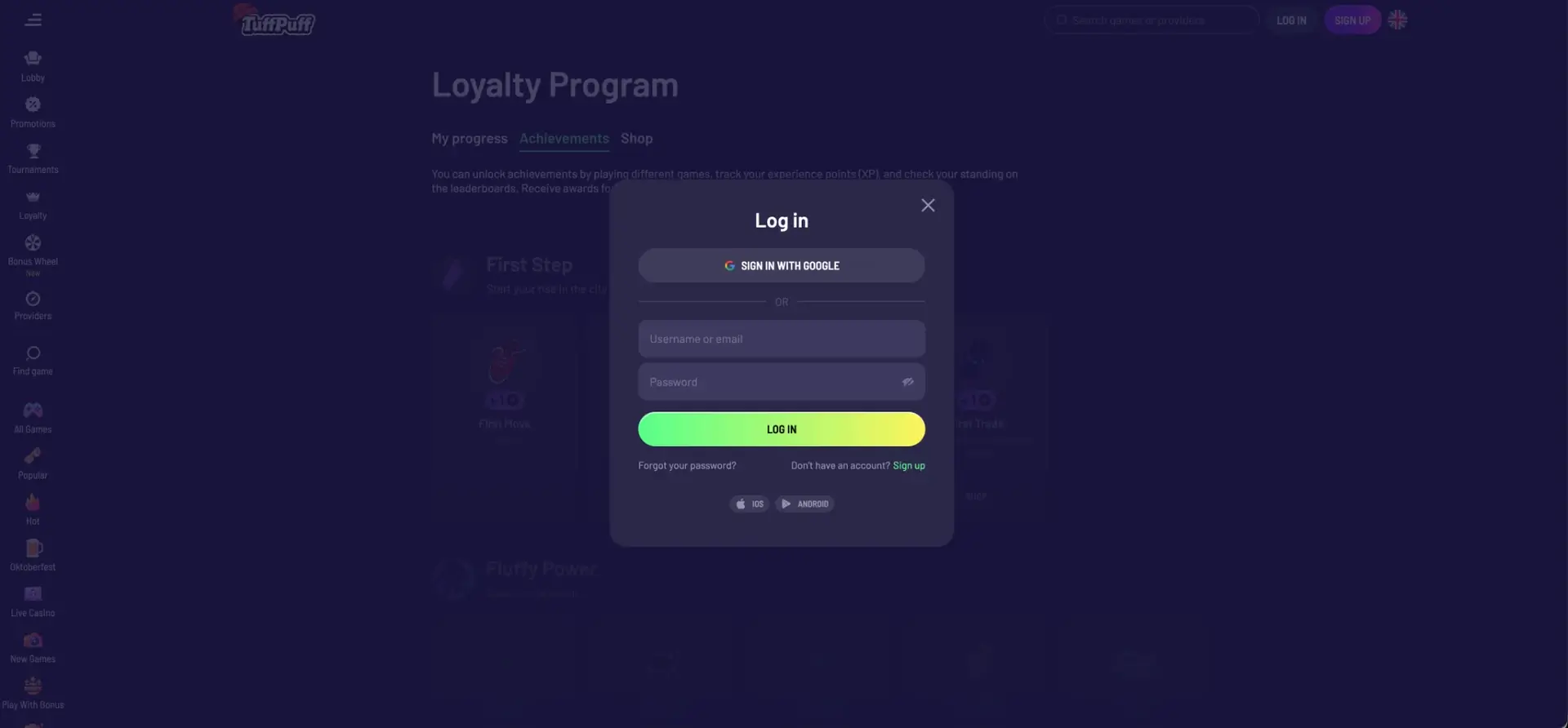
Tuffpuff casino login takes a few seconds: click Log in in the top-right corner, then either press Sign in with Google or enter your username or email and password and press Log in. The same account works on desktop, in a mobile browser and in the app installed through the iOS and Android links, and it gives access to the AUD cashier, active bonuses, loyalty progress and live chat. If the password is lost, the "Forgot your password?" link in the same window starts a reset by email.
The login window offers two routes depending on how the account was created. Accounts opened through Google sign in with Google, while accounts opened with an email address use the email (or username) and password combination. Mixing the two is the most frequent reason a correct password is rejected.
| Login essentials | Details |
|---|---|
| Where to log in | Log in button in the top bar of the site |
| Login methods | Google account, or username/email + password |
| Password reset | "Forgot your password?" link in the login window |
| No account yet | "Sign up" link next to the reset option |
| Device support | Desktop browsers, mobile browsers, iOS and Android app links |
| Session security | Encrypted connection, private credentials |
| When verification appears | Usually before the first withdrawal |
| Currency | AUD |
| Support | Live chat from the side menu and footer |
The login window stays the same on every page of the site, so there is no need to return to the homepage before signing in.
How to log in to Tuffpuff casino
The login form opens as a pop-up over the current page. After a successful sign-in, the page reloads with the account balance, deposit button and profile menu in the top bar.
Step-by-step login with email or username
This route applies to accounts registered with an email address and password:
- Open the Tuffpuff casino site in your browser.
- Click Log in next to the search bar in the top-right corner.
- Enter your username or the email address used during registration.
- Type your password; the eye icon in the field shows the characters to check for typos.
- Press Log in and wait for the balance to appear in the top bar.
Passwords are case-sensitive, so an active Caps Lock is a common cause of a failed attempt.
Login with Google
Accounts created with Join with Google sign in through the same provider:
- Click Log in in the top bar.
- Press Sign in with Google at the top of the window.
- Select the Google account used at registration.
- Confirm access if Google asks for it, and the casino account opens automatically.
Google login does not require a separate casino password, so the security of the Google account itself (including its two-step verification) directly protects the casino account.
Create an account if you do not have one
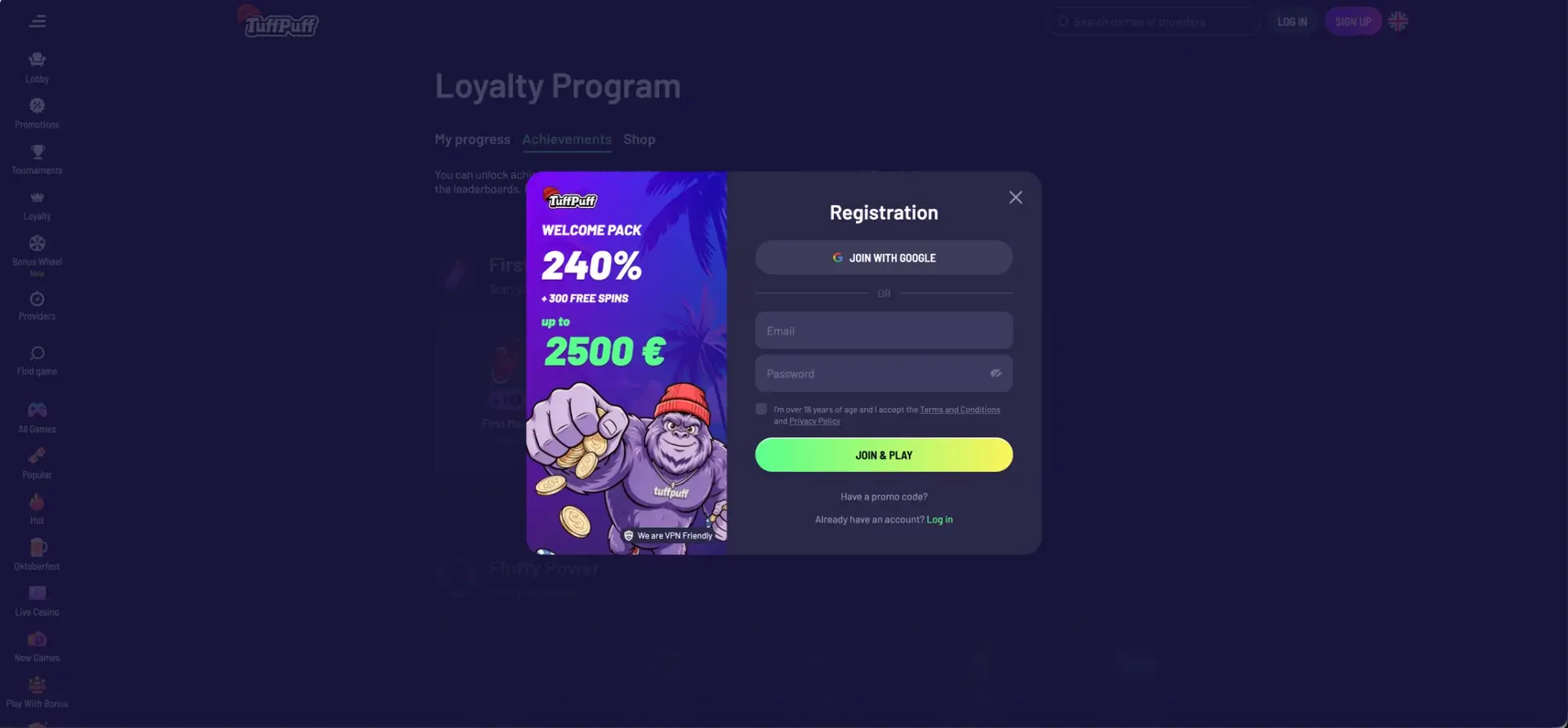
If the login window returns an error because no account exists, the "Don't have an account? Sign up" link under the form opens the registration window.
Quick registration flow
Registration at Tuffpuff casino uses the same two methods as login:
- Click Sign up or use the Quick start form on the homepage.
- Choose Join with Google, or enter an email address and password.
- Confirm you are over 18 and accept the Terms and Conditions and Privacy Policy.
- Add a promo code through "Have a promo code?" if you have one.
- Press Join & Play.
The first login after registration unlocks the First Move achievement, which adds one coin to the loyalty shop balance.
Secure login practices
Account security at Tuffpuff depends on both the site's protection and the habits of the account holder. These steps prevent most access problems:
- Open the site directly rather than through links from unknown messages or old promo pages.
- Use a unique password that is not repeated on other sites.
- Protect the email account linked to the casino, since password resets go there.
- Turn on two-step verification in Google if you sign in with Google.
- Avoid saving passwords on shared or public devices.
- Log out after playing on any device that other people use.
Support staff never ask for a password, so any message requesting it should be ignored.
Tuffpuff casino password recovery
A forgotten password is reset from the login window itself, without contacting support.
Reset steps
The reset process takes a couple of minutes:
- Click Log in, then Forgot your password? under the form.
- Enter the email address linked to the account.
- Open the reset email from Tuffpuff and follow the link inside.
- Create a new password and confirm it.
- Return to the login window and sign in with the new password.
If the email does not arrive within a few minutes, check the spam and promotions folders. Accounts created with Google do not need a reset; they sign in through Google directly.
Tuffpuff casino login on mobile
On phones and tablets, the login window looks the same as on desktop and includes iOS and Android buttons at the bottom for installing the app. Login works in Safari, Chrome and other current mobile browsers.
Tips for mobile
A few small habits make mobile sign-in smoother:
- Keep the browser updated to avoid form display issues.
- Allow the browser to remember your username, but not the password, on a personal device only.
- Add the site to the home screen for one-tap access.
- Use a trusted mobile network or home Wi-Fi rather than public Wi-Fi for deposits.
The account balance, bonuses and loyalty progress are synchronised across all devices, so switching from a laptop to a phone keeps everything in place.
Troubleshooting common login errors
Most login problems at Tuffpuff casino fall into a few categories, and each has a quick fix.
Incorrect credentials
If the form reports wrong details, check whether the account was registered with Google or with email. A Google account has no casino password, so the email-and-password form will not accept it. Also check for Caps Lock, an extra space in the email field or an old password saved in the browser.
Browser or cache issues
If the login window does not open or the form does not respond, the problem is usually local:
- Clear browser cache and cookies for the site, then reload the page.
- Disable extensions that block scripts or pop-ups.
- Try a different browser, such as Chrome or Safari.
Private browsing mode is a quick way to check whether stored data is causing the problem.
Google sign-in does not complete
When the Google window closes without signing in, the browser may be blocking third-party cookies or pop-ups. Allow pop-ups for the site temporarily and make sure the correct Google account is selected.
Account blocked or restricted
Accounts may be restricted after several failed attempts, during verification checks or at the holder's own request. In these cases, contact live chat with the registered email and a short description of the problem.
What you access after Tuffpuff casino login
Once signed in, the account opens all personal sections of the site:
- Cashier: AUD deposits and withdrawals through cards, bank transfer, MiFinity and crypto.
- My Bonuses: active offers, wagering progress and the welcome route chosen at the first deposit.
- Loyalty: current level, XP, rank-based cashback and withdrawal limits.
- Achievements and Shop: coins earned for tasks and free spin packages to buy with them.
- Tournaments: Participate buttons for network events and progress in active campaigns.
- Profile settings: personal details and password.
Checking My Bonuses before playing helps avoid starting a session with an unwanted active bonus.
Account verification (KYC)
Verification is not required to log in or deposit, but Tuffpuff casino, like other Curaçao-licensed operators, may request it before the first withdrawal or after large transactions. The usual set of documents includes:
- A photo ID: passport or Australian driver licence.
- Proof of address: a recent utility bill or bank statement.
- Proof of payment method ownership: a card photo with hidden middle digits or an e-wallet account statement.
Uploading clear documents in the account right after registration means the first withdrawal will not wait for checks.
FAQ about Tuffpuff casino login
Short answers to the most common questions about signing in to Tuffpuff casino.
How do I log in to Tuffpuff casino?
Click Log in in the top-right corner, then sign in with Google or enter your username or email and password.
Can I log in to Tuffpuff casino with Google?
Yes. If the account was created with Join with Google, press Sign in with Google in the login window.
What do I do if I forgot my Tuffpuff password?
Click Forgot your password? in the login window, enter your email and follow the reset link sent to your inbox.
Why does the Tuffpuff casino login not accept my password?
The most common reasons are Caps Lock, an old saved password or an account registered through Google, which has no separate password.
Does the same login work on mobile?
Yes. One account works on desktop, mobile browsers and the app, with the same balance and bonuses.
Do I need verification to log in?
No. Verification is usually requested before the first withdrawal, not at login.