
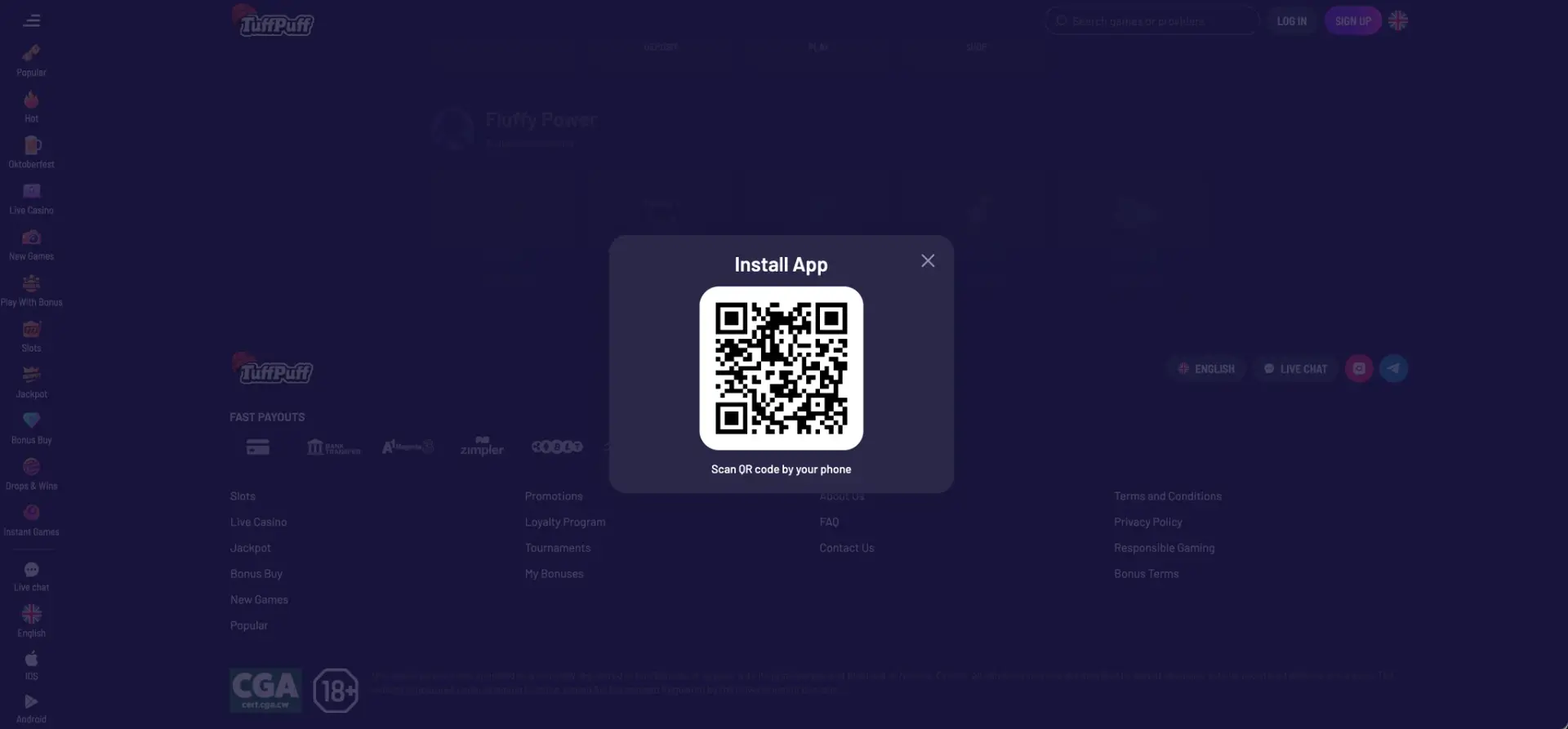
The Tuffpuff casino app is installed directly from the casino site: the side menu and the login window contain iOS and Android buttons, and on desktop the Install App window shows a QR code that opens the installation page when scanned with a phone. The app uses the same account as the website, with the same AUD balance, welcome pack, weekly promotions, pokies, live casino and loyalty progress. Players who prefer not to install anything can open Tuffpuff casino in Safari or Chrome, where every section works the same way.
This page covers how to install the app on iPhone and Android, how to add a home-screen shortcut as an alternative, which features are available on mobile and how payments work from a phone in AUD.
| Feature | Mobile details |
|---|---|
| Where to get the app | iOS and Android buttons on the casino site, Install App QR code |
| iOS access | App link or Safari, Chrome, Firefox |
| Android access | App link or Chrome, Firefox, other modern browsers |
| Home-screen shortcut | Available on iOS and Android from the browser menu |
| Account | Same account as on desktop |
| Game catalogue | 30+ studios, pokies, live casino, instant games |
| AUD cashier | Cards, bank transfer, MiFinity, crypto |
| Bonuses | Welcome pack, reloads, cashback, Bonus Wheel via Telegram |
| Loyalty | Levels, achievements and coin shop |
| Login options | Google or username/email + password |
| Support | Live chat from the menu |
Because the account is shared, a deposit made on a laptop is available on the phone immediately, and wagering progress continues across devices.
Is there a Tuffpuff casino app for Android and iOS?
Yes. Tuffpuff casino offers app links for both platforms on its site. They appear in three places: at the bottom of the side menu (iOS and Android icons), at the bottom of the login window and in the Install App pop-up with a QR code. The links lead to the casino's own installation page, so the safest route is always to start from the official site rather than searching for the app in third-party stores or download portals.
Real-money casino apps are often not listed in the Australian App Store and Google Play, which is why casinos distribute them through their own sites. Any file or listing found outside the official casino links should be avoided.
How to install the Tuffpuff casino app
The installation process depends on whether you start from a computer or directly from a phone.
From a desktop with a QR code
This route is convenient when the site is already open on a computer:
- Open the Tuffpuff casino site on your computer.
- Click the iOS or Android icon in the side menu to open the Install App window.
- Scan the QR code with your phone camera.
- Open the link on the phone and follow the installation prompts.
- Launch the app and log in with your existing account.
The QR code saves typing the address on a small screen and guarantees that the phone opens the official page.
Directly from a phone
On a smartphone, the app links are available without a computer:
- Open the Tuffpuff casino site in your mobile browser.
- Open the side menu or tap Log in.
- Tap the iOS or Android button depending on your device.
- Follow the installation steps on screen; Android may ask to allow installation from the browser.
- Open the app and sign in with Google or your email and password.
If Android asks for permission to install apps from the browser, it is good practice to switch that permission off again after installation.
How to add Tuffpuff to your home screen
A home-screen shortcut is an alternative to the app that takes less storage and needs no updates. It opens the mobile site in one tap, with the same account and features.
iOS instructions (Safari)
On iPhone and iPad, the shortcut is created from Safari's share menu:
- Open the Tuffpuff casino site in Safari.
- Tap the Share icon (the square with an arrow pointing up).
- Scroll down and tap Add to Home Screen.
- Keep the name "Tuffpuff" or enter your own and tap Add.
The icon appears on the home screen and opens the casino in a full-screen window.
Android instructions (Chrome)
On Android, the shortcut is created from the Chrome menu:
- Open the Tuffpuff casino site in Chrome.
- Tap the three-dot menu in the top-right corner.
- Choose Add to Home screen or Install app.
- Confirm the name and tap Add.
The shortcut can be moved and grouped like any other app icon.
Features available on mobile
The mobile version of Tuffpuff casino keeps every section of the desktop site:
- Lobby: All Games, Popular, Hot, New Games, Play With Bonus, Slots, Jackpot, Bonus Buy, Drops & Wins and Instant Games.
- Search: one field for games and studios, plus the Providers directory with its own filter.
- Live casino: Roulette, Poker, Blackjack, Baccarat, Table Games and TV Shows tabs from Playtech, Pragmatic Live, Imagine Live and other studios.
- Promotions: both welcome routes, Daily and Weekly Cashback, Hustle Bonus and Street Reload.
- Tournaments: network events with prize pools and Participate buttons.
- Loyalty: level progress, achievements and the coin shop for free spins.
- Telegram links: Bonus Wheel and exclusive bonuses, convenient to open on a phone where Telegram is usually installed.
Telegram-based offers are where mobile has an edge over desktop: the Bonus Wheel works only through the Tuffpuff Telegram bot, which is most practical on a phone.
Performance on mobile
Game performance on a phone depends mostly on the device and connection rather than on the casino. Several factors are worth keeping in mind:
- Browser version: current Safari and Chrome versions load the lobby and game tiles fastest.
- Connection: live tables need a stable 4G, 5G or Wi-Fi connection for uninterrupted streams.
- Device memory: closing background apps helps with graphics-heavy pokies such as Gates of Olympus 1000 or Sweet Bonanza 2500.
- Screen orientation: many pokies switch between portrait and landscape layouts; landscape gives more room for paytables.
Reading bonus terms on a small screen is easier in landscape mode or on a desktop before the session.
Mobile payments and withdrawals in AUD
The mobile cashier offers the same AUD payment methods as the desktop version. Withdrawal limits do not depend on the device; they depend on the loyalty rank.
| Method | Deposits | Withdrawals | Mobile note |
|---|---|---|---|
| Visa / Mastercard | Yes | Yes | Some Australian banks may decline gambling payments |
| Bank transfer | Yes | Yes | Usually the slowest payout route |
| MiFinity | Yes | Yes | Convenient for both directions |
| BTC, ETH, LTC, USDT, XRP | Yes | Yes | Usually the fastest payout route |
Rank-based withdrawal limits start at AUD 875 per day and AUD 17,500 per month for the Member rank. Exact minimum amounts per method are shown in the cashier after login.
Security of the Tuffpuff casino app
The app and the mobile site use the same encrypted connection and account protection as the desktop version. Security on a phone also depends on a few device-level habits: a screen lock, an updated operating system, installation only from the official casino links and no access through public Wi-Fi when making payments.
Signing in with Google adds Google's own protection, including two-step verification if it is enabled on the Google account.
Usage tips for Australian players
A few practical points help get the most out of Tuffpuff on a phone in Australia:
- Choose the English-AU site version and AUD as account currency at the start.
- Plan reload deposits around the weekly schedule: Hustle Bonus on Wednesday, Street Reload from Friday to Sunday.
- Remember that loyalty XP counts only pokie bets of AUD 8 or more.
- Use the Play With Bonus category when wagering bonus funds on mobile.
- Set session reminders on the phone, since mobile sessions tend to last longer than planned.
For gambling-related concerns, Gambling Help Online is available on 1800 858 858 at any time.
FAQ about the Tuffpuff casino app
Common questions about installing and using the Tuffpuff casino app.
Where can I download the Tuffpuff casino app?
From the official casino site: use the iOS or Android buttons in the side menu or login window, or scan the QR code in the Install App window.
Is the Tuffpuff app free?
Yes. Installation is free, and the app uses the same account as the website.
Can I claim the welcome bonus in the Tuffpuff casino app?
Yes. Both welcome routes, reloads and cashback are available in the app and on the mobile site.
Do I need the app to play on my phone?
No. The full casino works in Safari, Chrome and other mobile browsers without installation.
Are withdrawals different in the app?
No. Methods and limits are the same on all devices; limits depend on the loyalty rank.
What should I do if the app does not install?
Use the mobile browser version or a home-screen shortcut, and contact live chat for the current installation link.